
WhatsApp Webhook
By subscribing to our webhooks, our services will hit the subscribing webhooks URL with POST request which contains JSON body payload. Do note that only WABA that's owned by your company can subscribe to the webhook.
Here's how to subscribe to a webhook that will be sent to the Webhook URL you input.
- Click WhatsApp > Manage WhatsApp > Integration Settings
- Click Add Setting
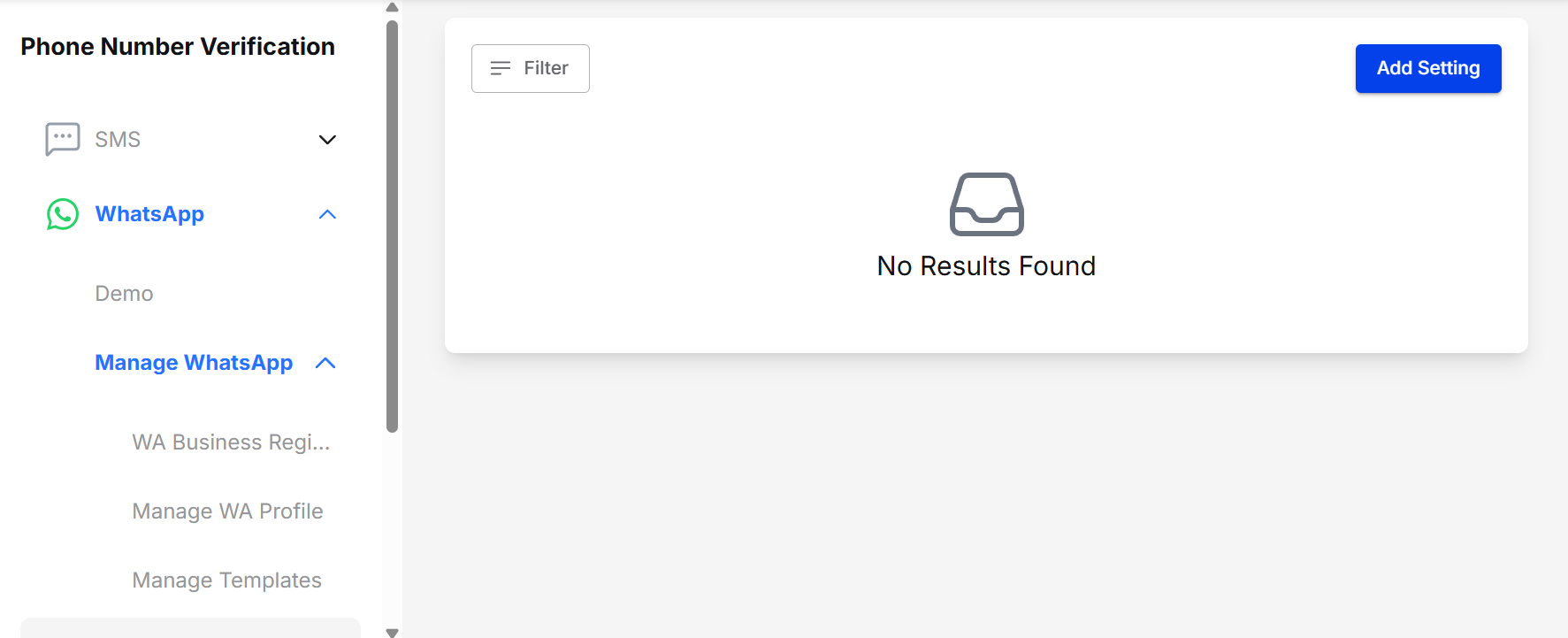
WhatsApp > Manage WhatsApp > Integration Settings
- Select Application Name. WhatsApp Channel Details will appear based on the Application Name you selected.
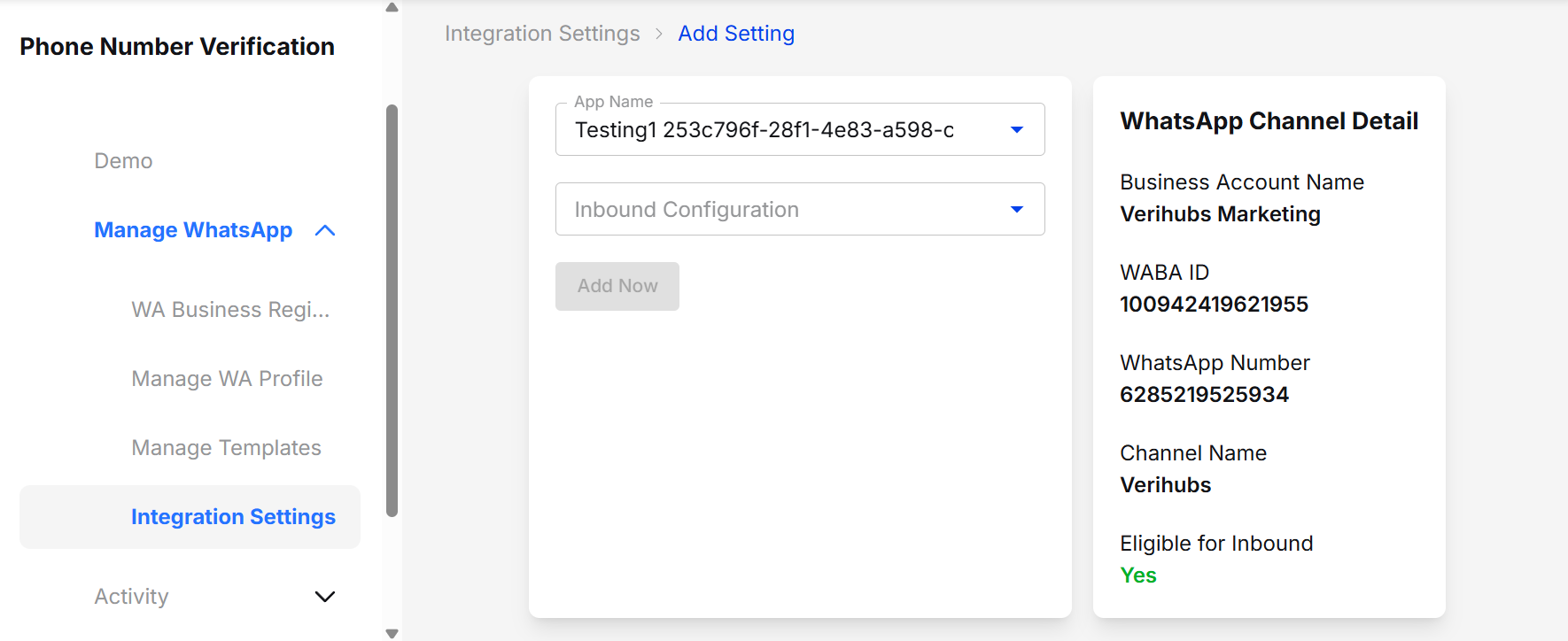
Integration Settings > Add Setting
- Select Inbound Configuration > Webhook (Manual Handling)
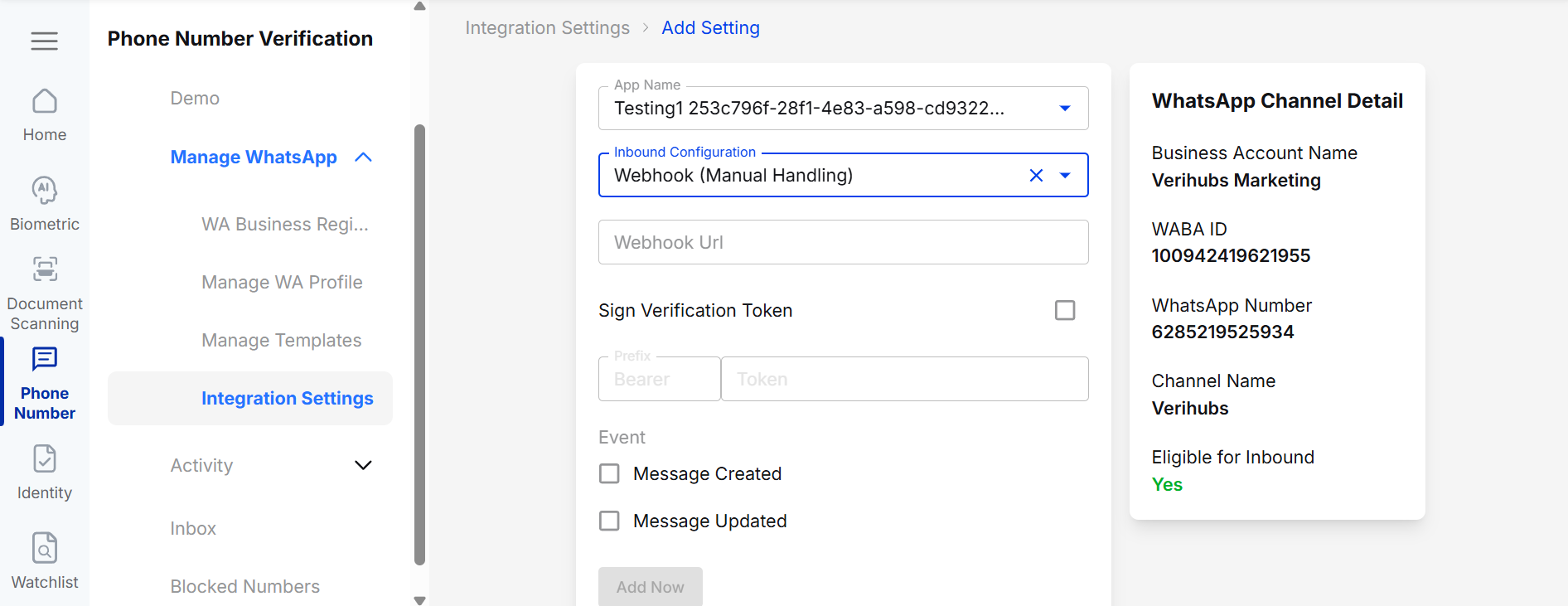
Webhook (Manual Handling)
- Enter the Webhook URL as the destination to receive the Webhook POST response from Verihubs.
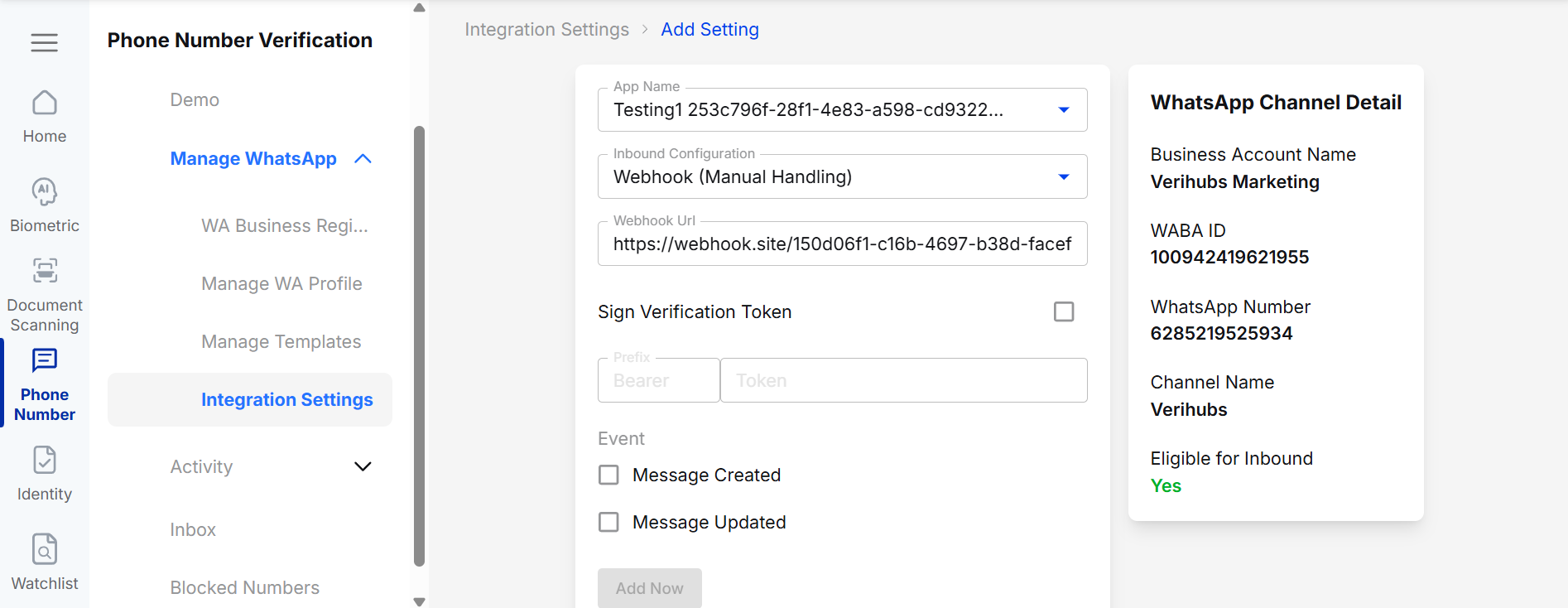
Input Webhook URL
- If you require authorization to access the Webhook URL, you can enable Authorization by checking the checkbox provided.
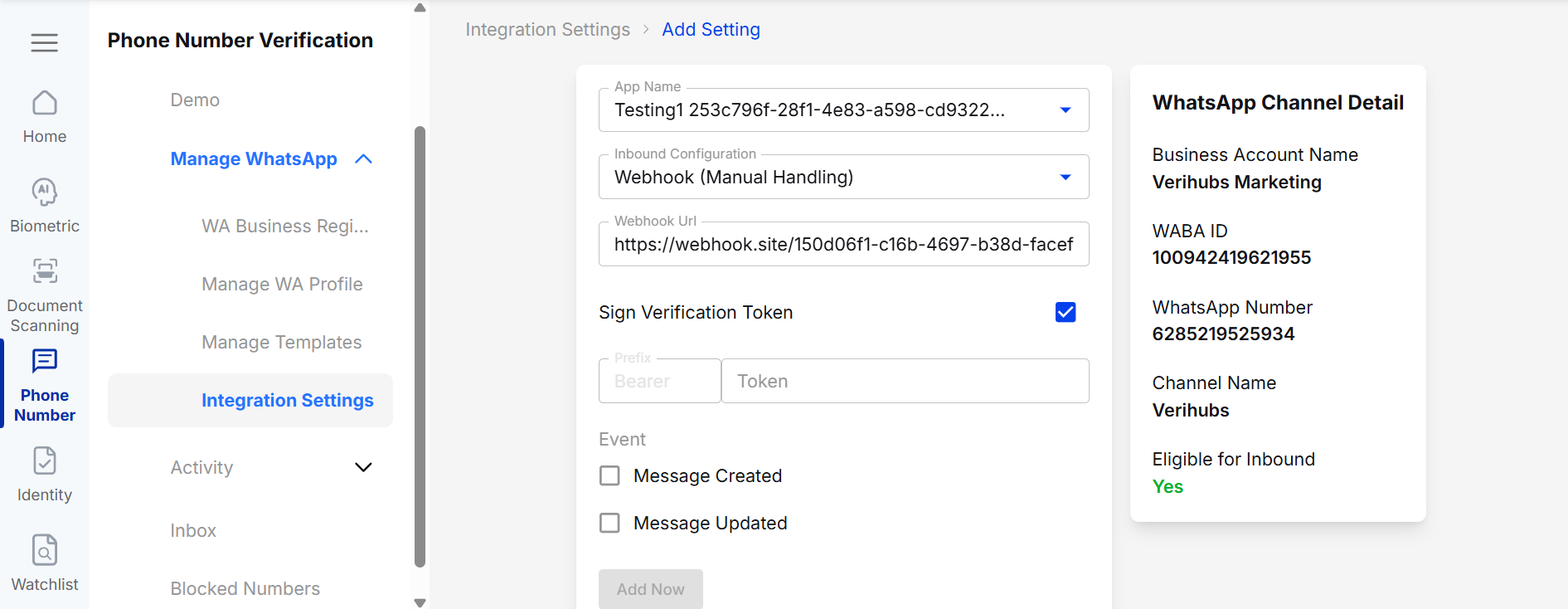
Authorization Checkbox
- If you check the Authorization checkbox, you can enter a token with the provided Bearer prefix corresponding to the Authorization token to access the URL you entered initially.
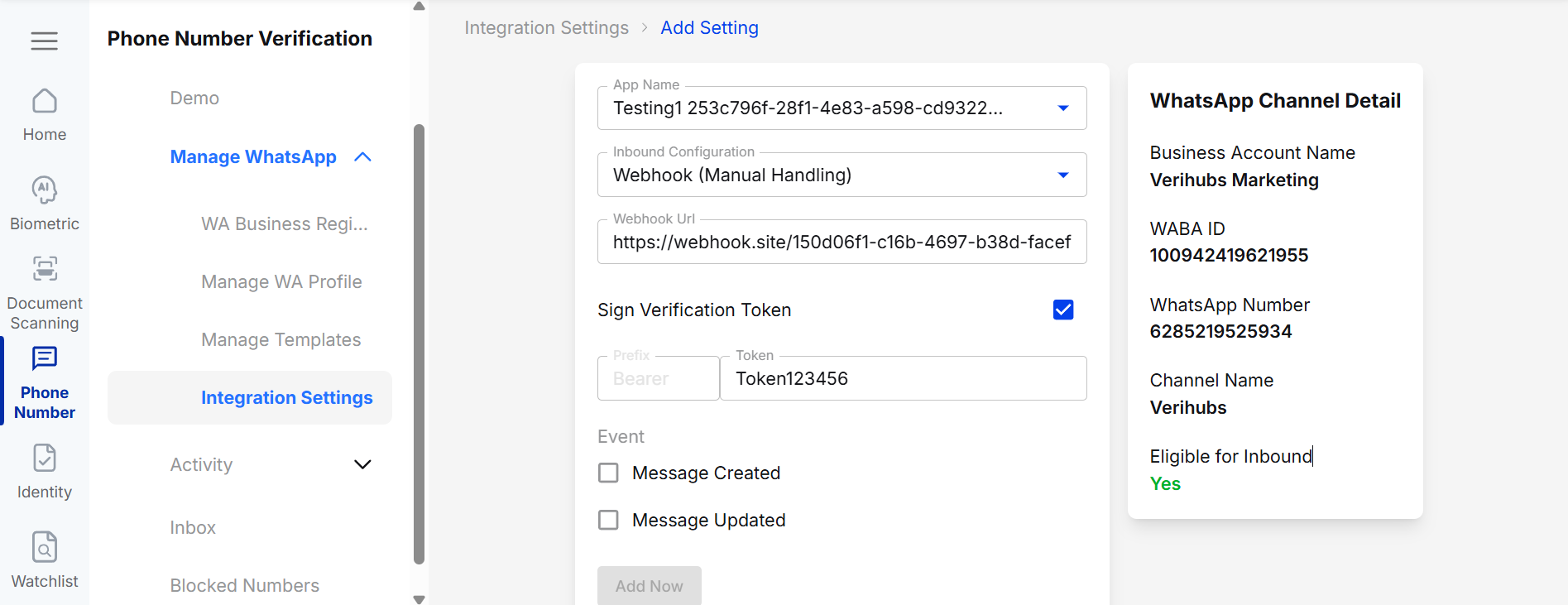
Input Token
- For Message Events, the explanation is as follows.
Events Available for Subscription:
- Message Created : "message_created"
- this event will be triggered when a user or the WABA created a message
- Message Updated : "message_updated"
- this event will be triggered when there's an update to a message, usually a status update
- e.g. a message just changed its status to read
DEVELOPER NOTE: : The webhook events will not instantly reflect the changes of unsubscribing an event
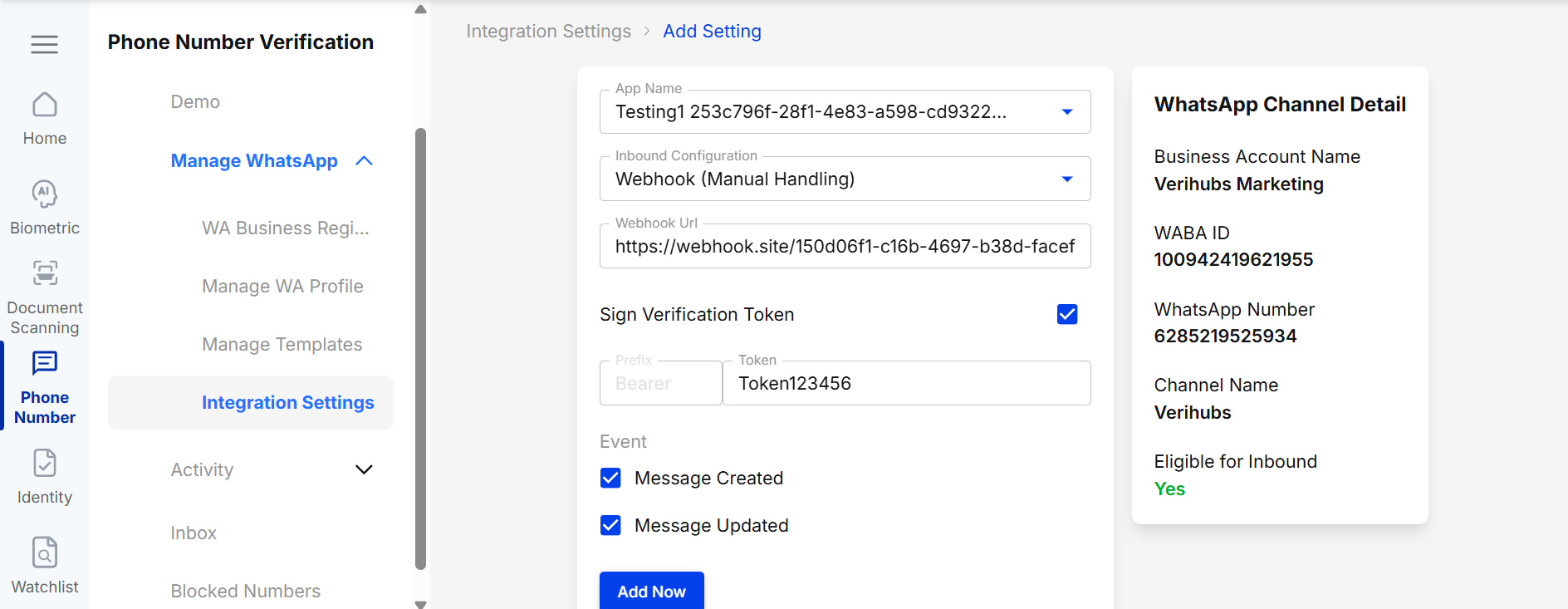
Message Event
- Once you've selected the desired Message Event, you can click "
Add Nowto create Webhook Settings. - Your Webhook Settings will be ready, and with every request you send, Verihubs will send a Webhook Response to the URL you entered.
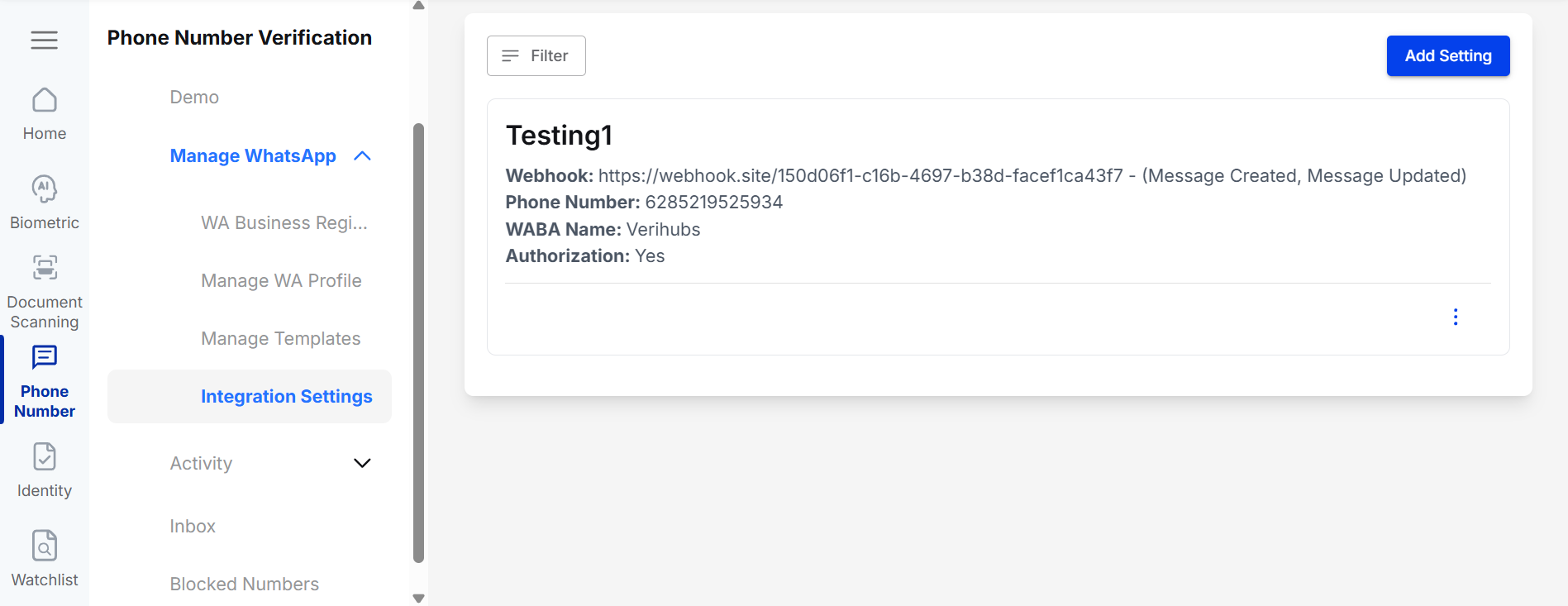
Integration Settings
Webhook Request Payload
The webhook JSON body will consist of:
-
event : event string
-
contact : contact object
- id : contact id
- display_name: WA display name or the msisdn, WA display name will mostly appear if the user sent a message to the WA first.
- msisdn : the msisdn with dial code
-
conversation : conversation object
- id : conversation id
- created_at : when did the conversation first started
-
message : message object
-
id : message id
-
channel_id : channel id (tied to your business WA number)
-
direction : "received" or "sent", depends whether the message is inbound or outbound
-
from : the msisdn string of sender
-
to : the msisdn string of recipient
-
whatsapp_status : the whatsapp status of the message
- for inbound message the status will be mostly "received" or "deleted" (message deleted by sender)
- for outbound message it'll follow whatsapp status of "pending", "sent", "delivered", "read", "failed", "rejected", "deleted"
-
type : type of the message
- text
- hsm (only for outbound messages)
- image
- video
- audio
- file
- location
-
content : content of the message
-
text content:
{ "text": "Hello" } -
image content (contains download url):
{ "image": { "url": "https://media.test.com/v1/54317df2-2eb8-42f3-be15-32ef877c3942" } } -
audio content (contains download url):
{ "audio": { "url": "https://media.test.com/v1/54317df2-2eb8-42f3-be15-32ef877c3942" } } -
video content (contains download url):
{ "video": { "url": "https://media.test.com/v1/54317df2-2eb8-42f3-be15-32ef877c3942" } } -
file content (contains download url):
{ "file": { "url": "https://media.test.com/v1/54317df2-2eb8-42f3-be15-32ef877c3942", "caption": "original-file-name.pdf" } } -
location content:
{
    "location": {
        "latitude": -6.174095,
        "longitude": 106.87536
    }
}
-
-
JSON Payload Example for message_created
{
  "entry": [
    {
      "changes": [
        {
          "field": "messages",
          "value": {
            "messaging_product": "whatsapp",
            "metadata": {
              "display_phone_number": "string",
              "phone_number_id": "string"
            },
            "contacts": [
              {
                "wa_id": "string",
                "identity_key_hash": "string",
                "profile": {
                  "name": "string"
                }
              }
            ],
            "statuses": [
              {
                "id": "string",
                "status": "string",
                "timestamp": "string",
                "recipient_id": "string",
                "recipient_user_id": "string",
                "conversation": {
                  "id": "string",
                  "expiration_timestamp": "string",
                  "origin": {
                    "type": "string"
                  }
                },
                "pricing": {
                  "billable": "boolean",
                  "category": "string",
                  "pricing_model": "string",
                  "type": "string"
                },
                "errors": null
              }
            ]
          }
        }
      ],
      "id": "string"
    }
  ],
  "object": "whatsapp_business_account",
  "verihubs_session_id": "string",
  "verihubs_status": "int"
}
JSON Payload Example for message_updated
{
  "entry": [
    {
      "changes": [
        {
          "field": "messages",
          "value": {
            "messaging_product": "whatsapp",
            "metadata": {
              "display_phone_number": "string",
              "phone_number_id": "string"
            },
            "contacts": [
              {
                "wa_id": "string",
                "identity_key_hash": "string",
                "profile": {
                  "name": "string"
                }
              }
            ],
            "statuses": [
              {
                "id": "string",
                "status": "string",
                "timestamp": "string",
                "recipient_id": "string",
                "recipient_user_id": "string",
                "conversation": {
                  "id": "string",
                  "expiration_timestamp": "string",
                  "origin": {
                    "type": "string"
                  }
                },
                "pricing": {
                  "billable": "boolean",
                  "category": "string",
                  "pricing_model": "string",
                  "type": "string"
                },
                "errors": null
              }
            ]
          }
        }
      ],
      "id": "string"
    }
  ],
  "object": "whatsapp_business_account",
  "verihubs_session_id": "string",
  "verihubs_status": "int"
}
Updated 4 months ago