
SMS Callback Settings
By subscribing to our webhooks, our services will hit the subscribing webhooks URL with POST request which contains JSON body payload.
Here's how to subscribe to a webhook that will be sent to the Callback URL you input.
- Click SMS > Callback Settings
- Click Add Setting
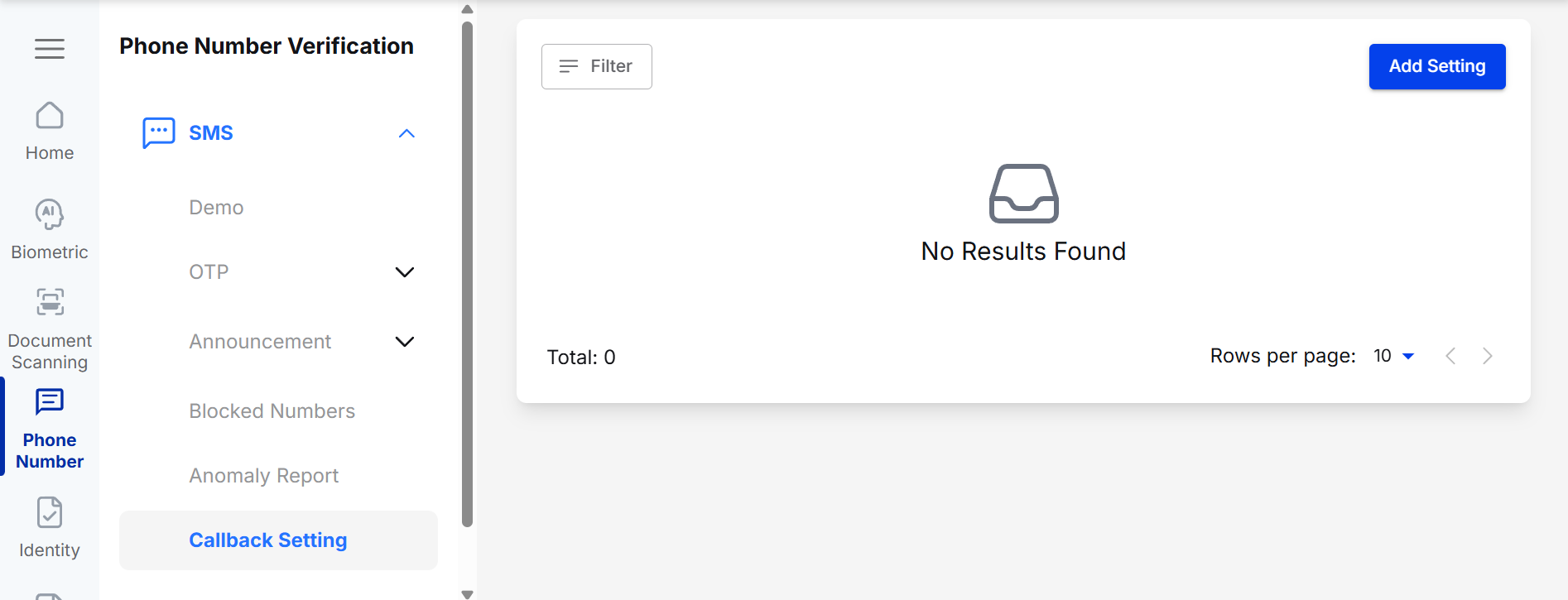
SMS > Callback Settings
- Select Application Name.
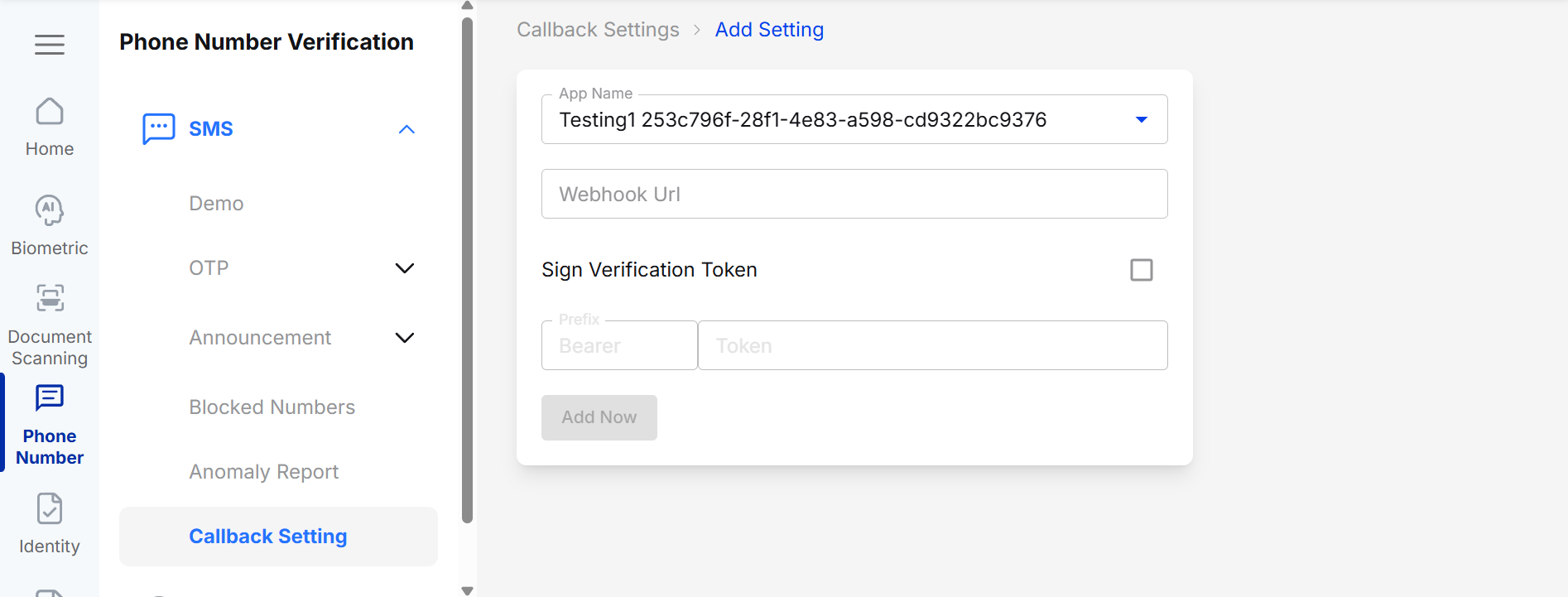
Callback Settings > Add Setting
- Enter the Webhook URL as the destination to receive the Webhook POST response from Verihubs.
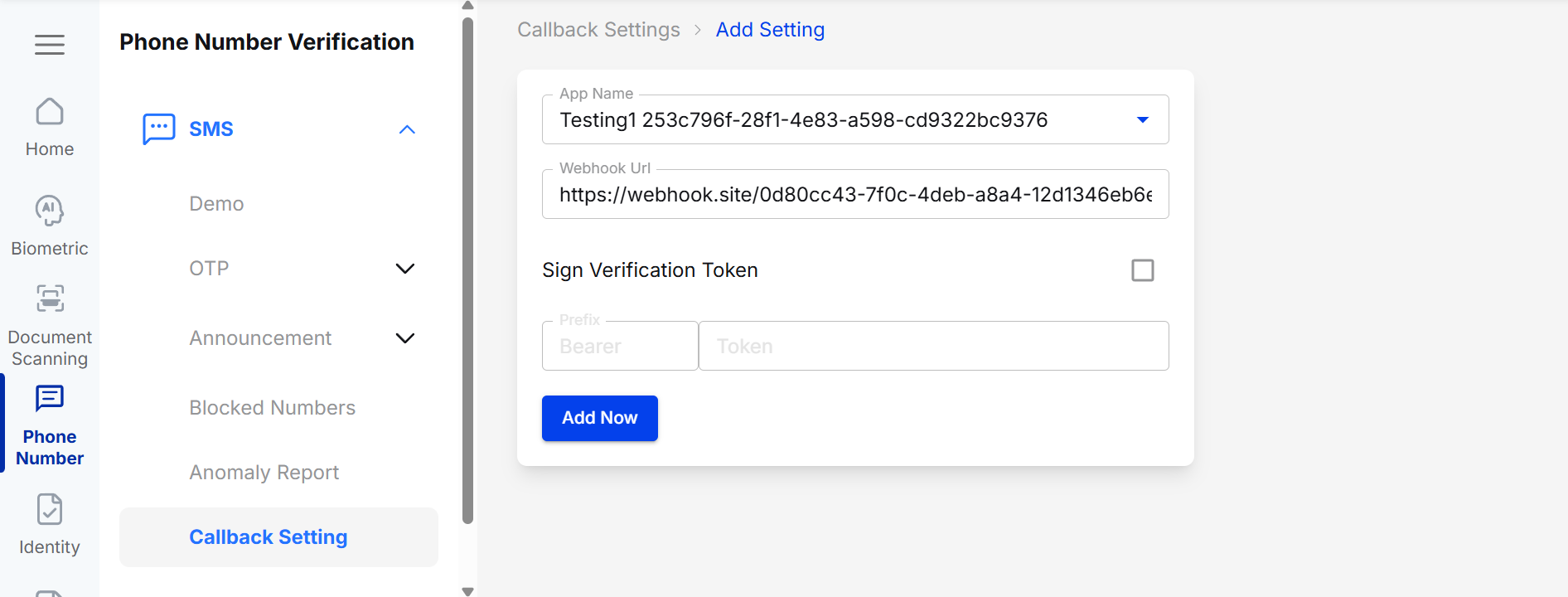
Input Webhook URL
- If you require authorization to access the Webhook URL, you can enable Authorization by checking the checkbox provided.
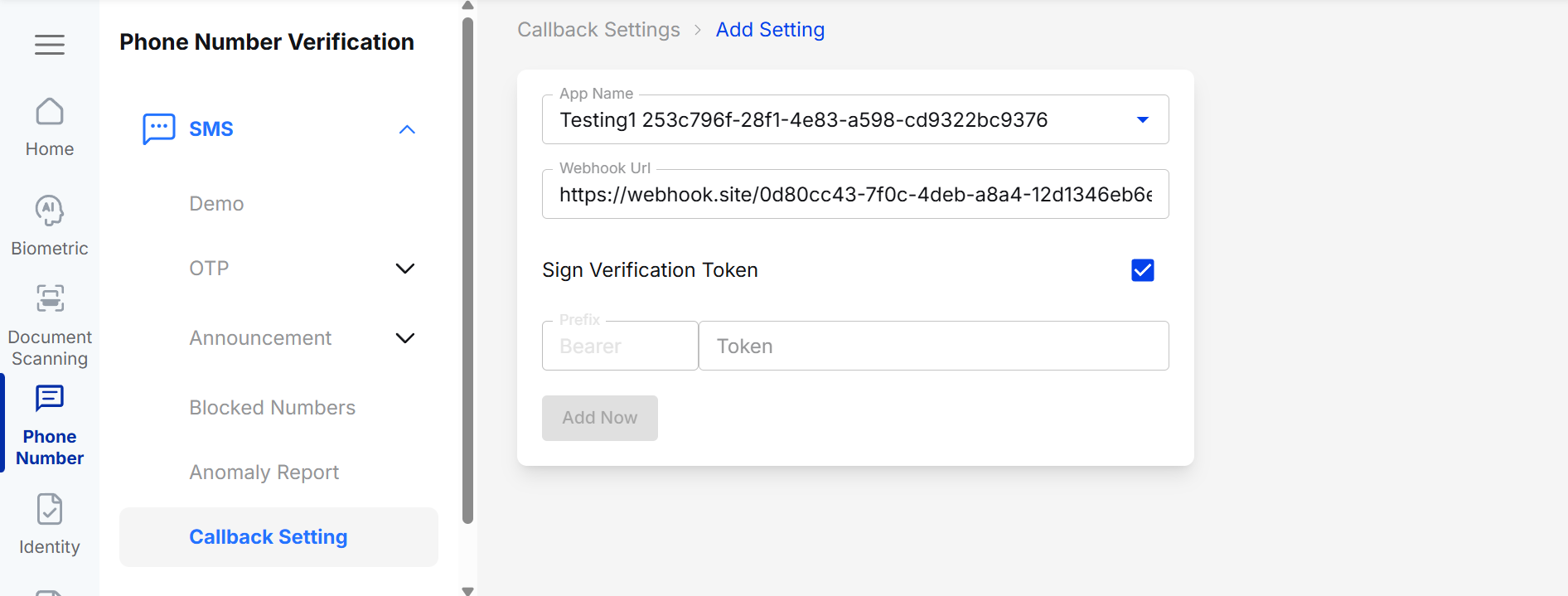
Authorization Checkbox
- If you check the Authorization checkbox, you can enter a token with the provided Bearer prefix corresponding to the Authorization token to access the URL you entered initially.
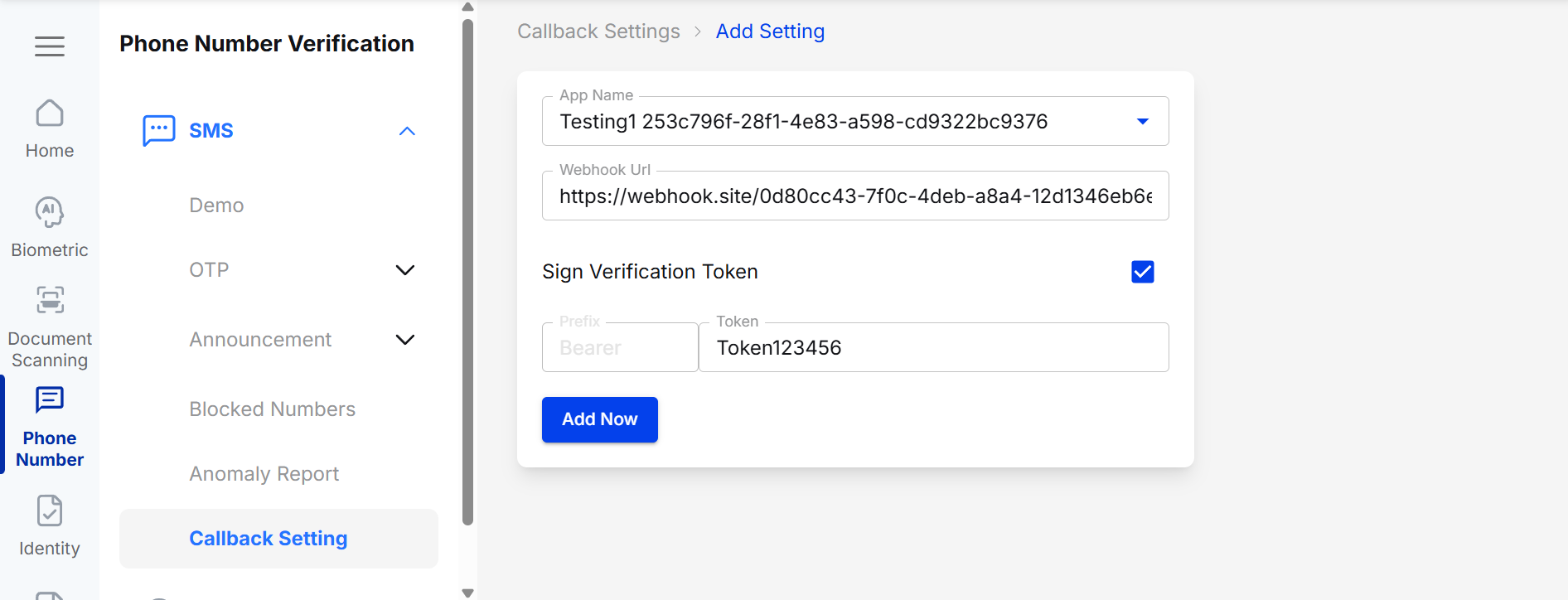
Input Token
- You can click
Add Nowto create Callback Settings. - Your Webhook Settings will be ready, and with every request you send, Verihubs will send a Webhook Response to the URL you entered.
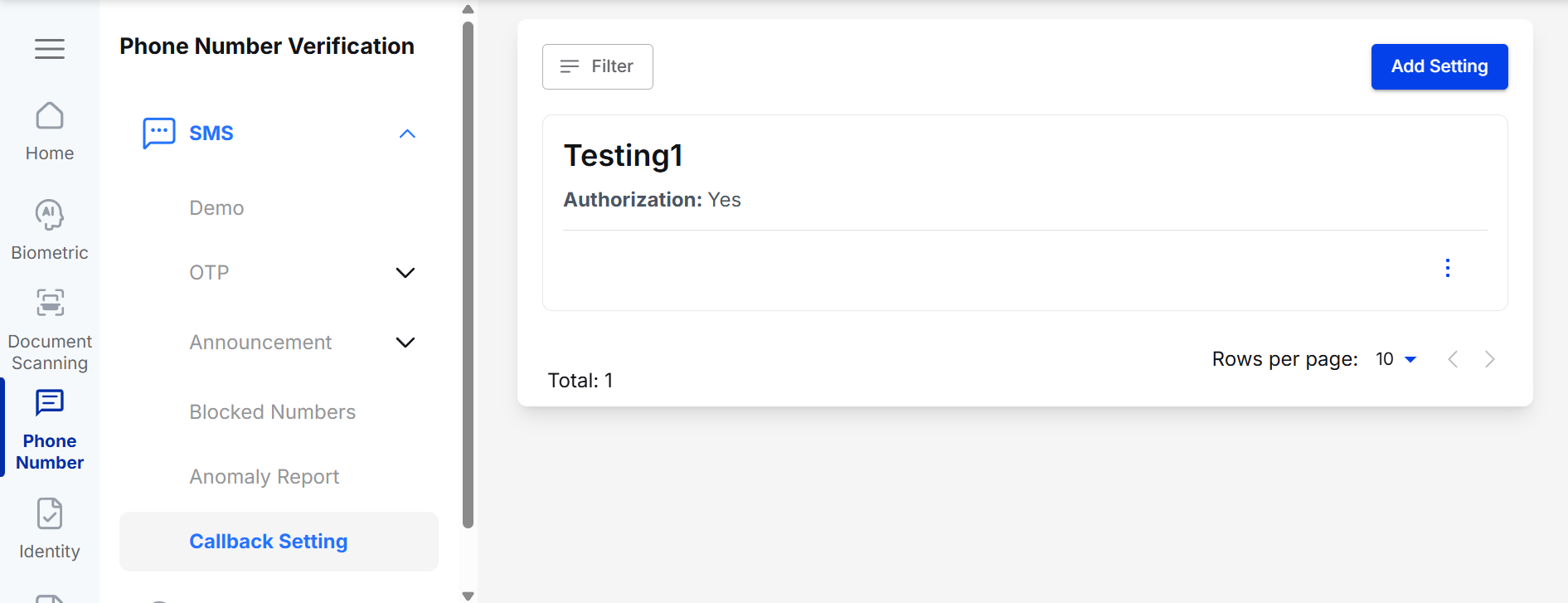
SMS Callback Settings
Webhook Request Payload
The webhook JSON body will consist of:
- session_id
- status
- transaction_id: same value with session_id
{
  "session_id": "de6966c5-3c19-46f2-8bb6-4b5d8352a828",
  "status": "1",
  "transaction_id": "de6966c5-3c19-46f2-8bb6-4b5d8352a828"
}
Updated 3 months ago
Did this page help you?