
Demo SMS Single Announcement
Send one text message to one phone number from the Verihubs Dashboard, to try the service before connecting it to your own system.
What is an Announcement? An Announcement is a regular text message that carries information, such as a reminder, a notice or an update. Unlike an OTP, it does not contain a one-time code and there is nothing for the user to verify.
Single Message or Bulk Message? Use Single Message to send one message to one phone number. Use Bulk Message to send the same message to many phone numbers at once. This page covers Single Message.
Before You Start
You need:
- A Verihubs account, logged in to the Dashboard.
- At least one Application ID in your account. You will need to create one if you don't have any.
- Remaining quota greater than 0. See "About Remaining Quota" below.
- A mobile phone number that can receive SMS, and the phone in your hand so you can read the message.
What is an Application? An Application is a project you create in Verihubs to represent your app or service. It keeps your usage, settings and records separate from your other projects.
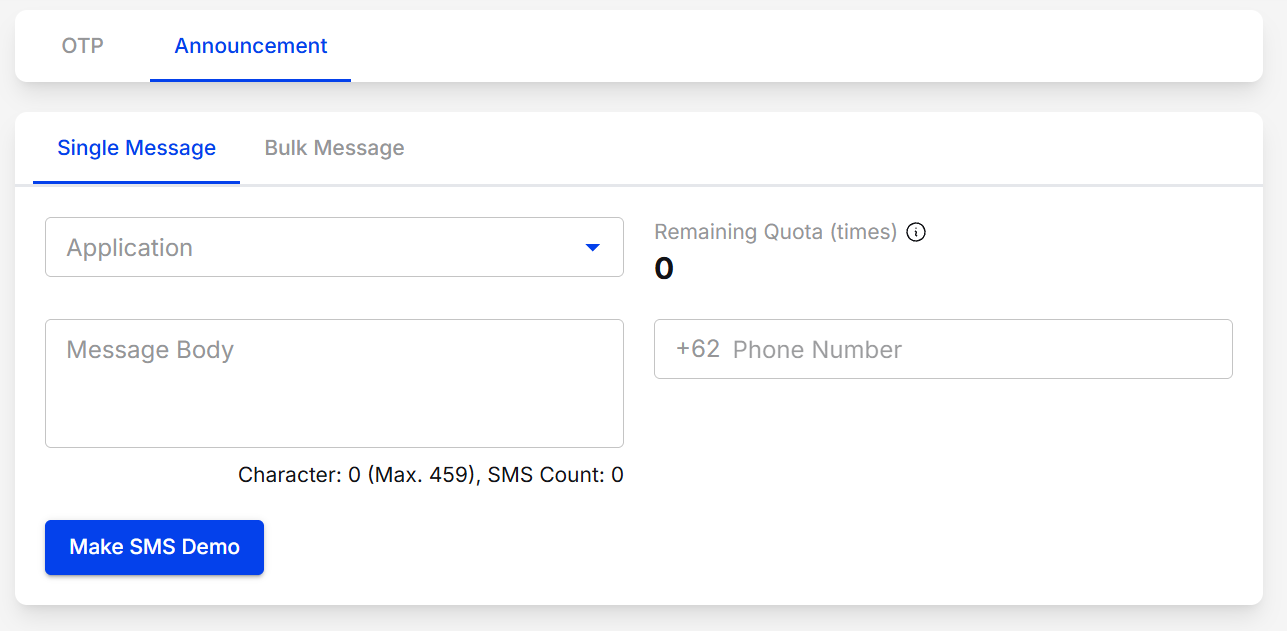
Send a Single Message
Fill in the form from top to bottom. [TO CONFIRM: Are all fields required?]
| Field | What to enter | Example |
|---|---|---|
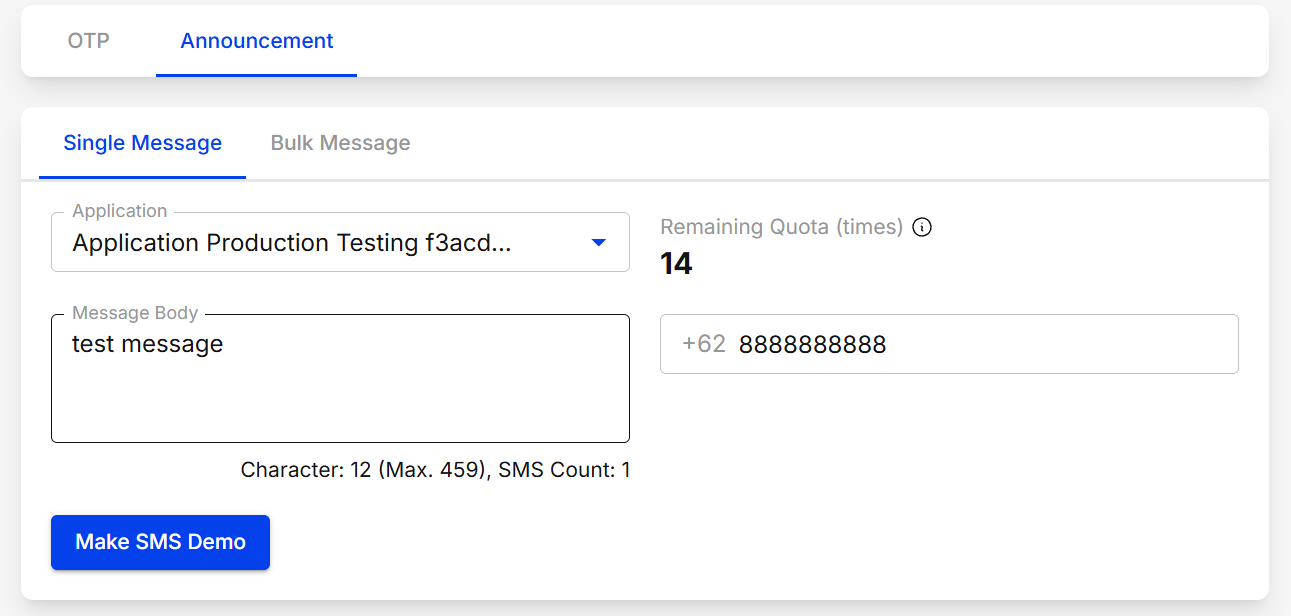
| Application | Choose the Application you want to send from. | My Test App |
| Remaining Quota (times) | This is not a field you fill in. It shows how many demo messages you can still send. See below. | 10 |
| Message Body | The text the user will receive. Type the full message. The maximum is 459 characters. See below. | test message |
| Phone Number | The number that will receive the SMS. The country code +62 (Indonesia) is already filled in. Enter the rest of the number. | 8888888888 |
About Remaining Quota
The Remaining Quota (times) number shows how many more demo messages you can send.
If it shows 0, you cannot send a demo message. Click Contact Us to ask for more quota.
About Character and SMS Count
Below the Message Body box you will see a line like this:
Character: 0 (Max. 459), SMS Count: 0
- Character is the number of letters, digits, spaces and symbols in your message. The maximum is 459.
- SMS Count is the number of separate text messages your message will be split into.
Click Make SMS Demo
- Check that the message and phone number are correct.
- Click the blue Make SMS Demo button.
What happens next:
- Verihubs sends an SMS to the phone number you entered.
- Your Remaining Quota goes down.
There is no code to enter and nothing to verify. Once the message arrives on the phone, the demo is complete.
Check That the Message Was Delivered
To see whether your message was delivered, open the SMS Log. It lists every message you sent, with its status.
Troubleshooting
| Problem | What to check |
|---|---|
| I did not receive the SMS | Wait a minute. Check the phone number and signal. Check that SMS is not blocked on the phone. Then look for the message in the SMS Log. |
| The Make SMS Demo button does not work | Check that every field is filled in and that Remaining Quota is above 0. |
| Remaining Quota is 0 | Click Contact Us to request more. |
| The message was split into several SMS | Your message is longer than one SMS. Shorten it to reduce the SMS Count. |
Updated 2 days ago