
Settings
Choose how SMS OTP works for each Application, and turn on protection against misuse.
On this page you set up SMS OTP for one Application at a time. Settings you save for one Application do not change any other Application.
Part 1: Basic OTP Settings
These settings control what your users receive when you send an OTP for this Application.
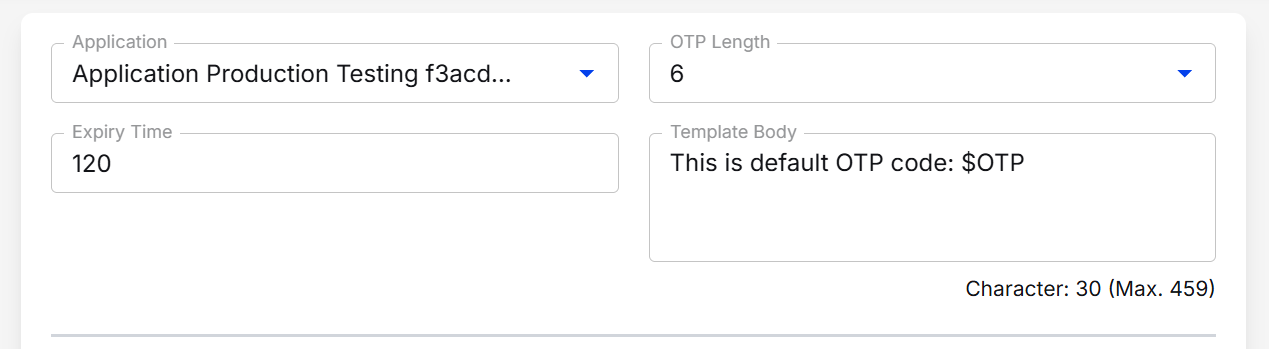
| Field | What it does | Example |
|---|---|---|
| Application | The Application these settings apply to. Choose one from the list. | My Test App |
| OTP Length | How many digits the code has. Choose from the list. You can choose between 4 to 10. | 6 |
| Expiry Time | How long the code stays valid after it is sent. After this time, the code no longer works. Units are in seconds. | 120 |
| Template Body | The text your users receive. A template is a message written once and reused for every OTP. Maximum 459 characters. | This is default OTP code: $OTP |
Below the Template Body box you will see Character: 0 (Max. 459). This is the number of letters, digits, spaces and symbols in your message, and the maximum allowed.
Part 2: Protection Features
These 3 features help protect your account from misuse, such as someone sending a large number of OTPs to waste your quota. Each feature has its own Enable switch.
Quick comparison
| Feature | What it protects against | Response when triggered | Charged? |
|---|---|---|---|
| Spam Check | Repeated OTP requests to the same phone number in a short time | Error code 429, status 6 (Rejected) | No |
| Sequential Phone Number | Requests to phone numbers in a suspicious pattern | Status 6 (Rejected) | No |
| Auto Block Suspicious Phone Number | A phone number that receives too many requests in one day | Error code 409, status 9 (Blocked) | No |
| Daily Sending Limit | SMS pumping attack | Error code 429, status 6 (rejected) | No |
What are error codes and statuses? When you send a request to Verihubs, we reply with a number telling you what happened.
- An error code is a standard number used across the internet. 429 means "too many requests". 409 means "the request conflicts with a rule", which here means the number is blocked.
- A status is a Verihubs number that describes the result of the message. 6 means Rejected. 9 means Blocked.
A request is each time your app (or the Dashboard) asks Verihubs to send an OTP.
Spam Check
What it does
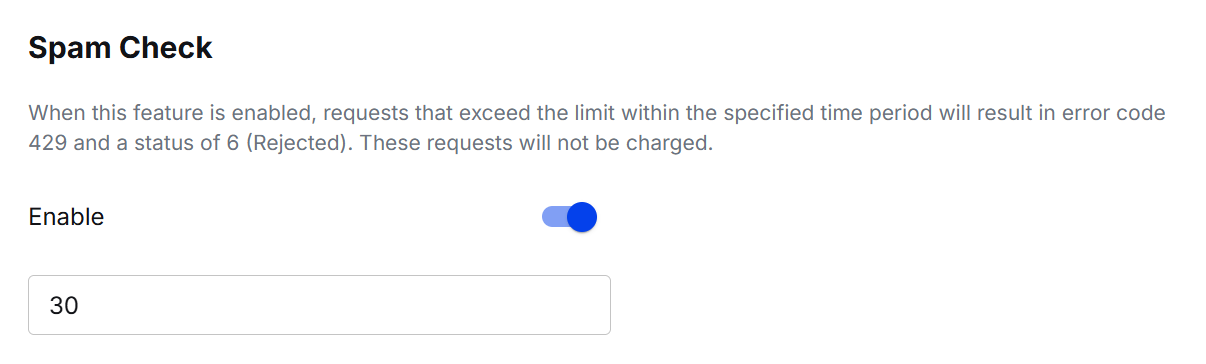
When enabled, subsequent OTP requests to the same phone number within the set timeframe will be blocked with error code 429 and status 6 (Rejected). Rejected requests are not charged.
Example: A user taps "Send OTP" five times in a row. The first request is sent. The repeated requests inside the timeframe are rejected, and you are only charged for the first.
When to use it: Turn it on if you want to stop accidental repeated taps and simple abuse.
Sequential Phone Number
What it does
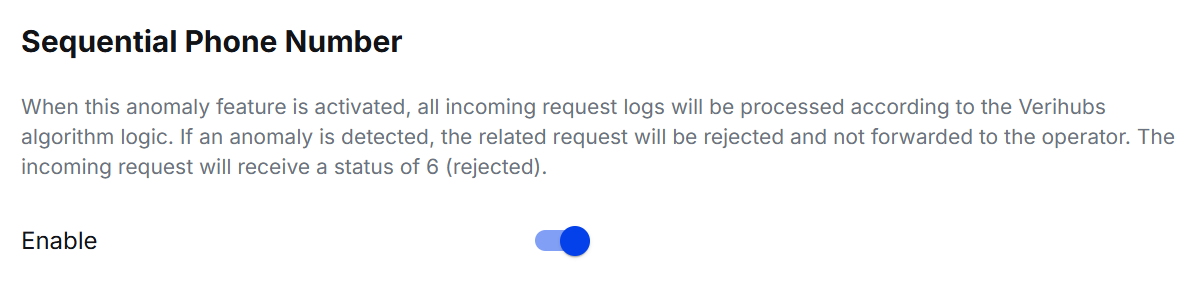
When enabled, Verihubs checks incoming OTP requests for a suspicious pattern, using Verihubs' own detection method. If the pattern looks like misuse, the request is rejected with status 6 (Rejected) and is not sent to the operator.
What is an operator? An operator is the mobile network company, such as Telkomsel or Indosat, that delivers the SMS to the phone. A request that is not sent to the operator does not create a message and does not cost you anything.
What is a sequential phone number? It means phone numbers that follow each other in order, for example 0812-0000-0001, then 0812-0000-0002, then 0812-0000-0003. Real users rarely sign up this way, but automated programs often do, to test or abuse a service.
Example: A program sends OTP requests to 100 phone numbers in order. Verihubs detects the pattern and rejects those requests before they reach the operator.
Auto Block Suspicious Phone Number
What it does
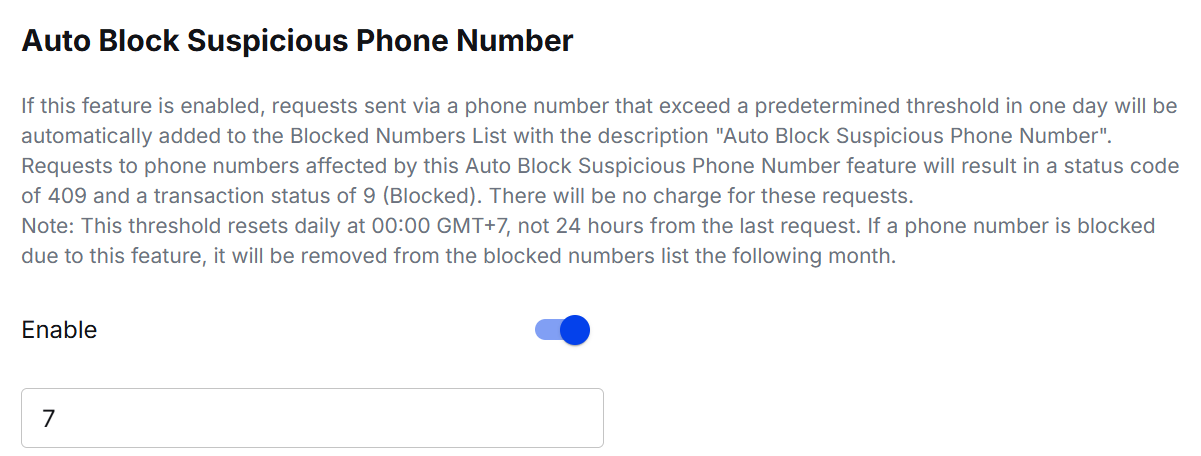
When enabled, a phone number that receives more OTP requests in one day than the allowed limit (the threshold) is blocked automatically. Verihubs adds it to the Blocked Numbers List with the description "Auto Block Suspicious Phone Number".
After a number is blocked, any new OTP request to it is rejected with error code 409 and status 9 (Blocked). Blocked requests are not charged.
What is a threshold? A threshold is the limit that triggers an action. Here, it is the number of requests one phone number can receive in a day before it gets blocked.
When the limit resets
- The daily count resets at 00:00 GMT+7. It is a fixed time of day, not 24 hours after the last request.
- Example: If a number receives its first request at 15:00, it still resets at 00:00 that night, not at 15:00 the next day.
When the block ends
A number blocked by this feature is removed from the Blocked Numbers List the following month. You can also remove a number yourself in the Blocked Numbers menu.
Daily Sending Limit
Set the maximum number of OTP requests this Application can send in one day. Use it to control your costs and to stop a sudden flood of requests, for example from a bug in your app or from someone misusing it.
What is a daily sending limit? It is a cap on how many OTP requests one Application can make per day. When the cap is reached, new requests are refused until the next day.
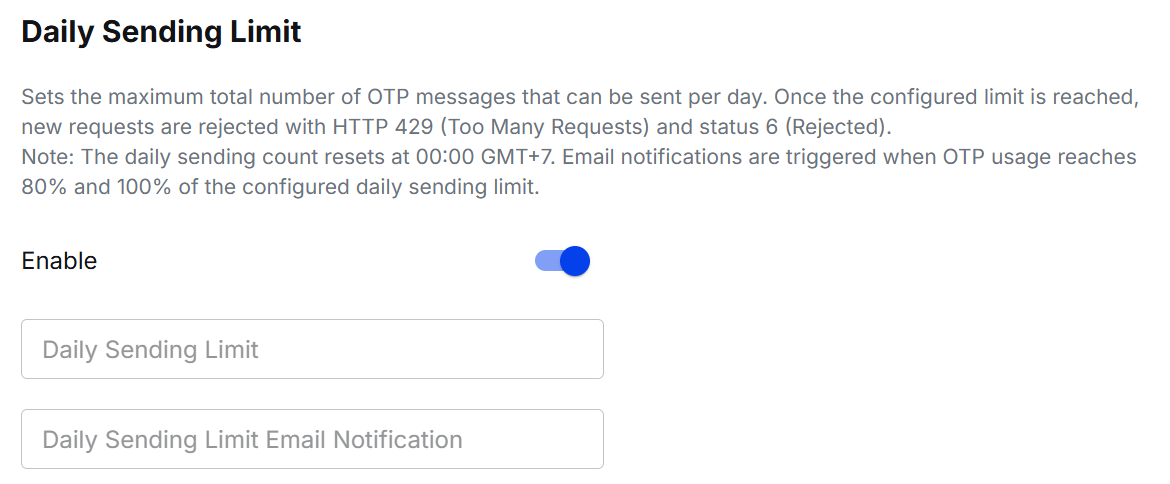
Set the maximum number of OTP requests this Application can send in one day. When the limit is reached, new requests are refused until the next day. You also get an email when you are close to the limit.
| Field | What it does | Example |
|---|---|---|
| Enable | Turns the daily limit on or off. | On |
| Daily Sending Limit | The maximum number of OTP requests allowed per day for the specific application ID. | 10,000 |
| Daily Sending Limit Email Notification | The email addresses that receive the alerts. You can add up to 5 addresses. | [email protected] |
What counts toward the limit
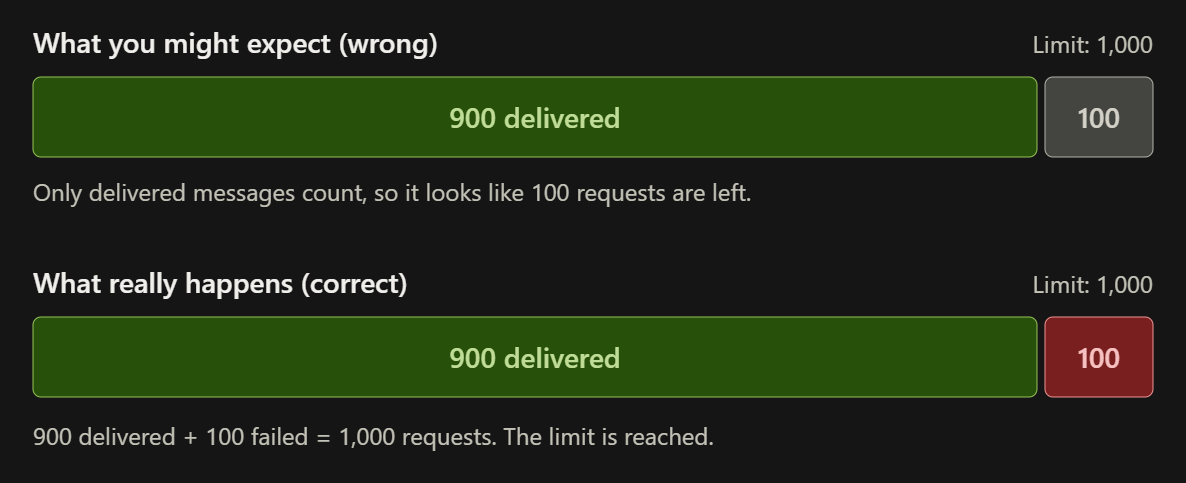
Every OTP request counts, whether the message was delivered or not. The limit is based on the total number of transactions, not only the successful ones.
Example: With a limit of 1,000, if 900 OTPs are delivered and 100 fail, the limit is reached. If under special circumtances you want to add another 100 OTPs to sent, set the threshold to 1,100.
When the limit is reached: new requests are rejected with error code 429 (Too Many Requests) and status 6 (Rejected). The count resets every day at 00:00 GMT+7, not 24 hours after your first request.
Email alerts: Verihubs sends an email to every address you added:
- when OTP usage reaches 80% of your daily limit, and
- when it reaches 100% (the limit is reached).
Example: With a limit of 1,000, you get the first email at 800 requests and the second at 1,000.
Tip: Use a team address that several people can read, so someone can react quickly. Set the limit above your normal busiest day.
Save Your Settings
- Check your settings.
- Click Save.
Frequently Asked Questions
Do these settings change my other Applications?
No. They apply only to the Application you chose.
Am I charged for rejected or blocked requests?
No, you won't be charged for the requests that are not sent to operator.
Troubleshooting
| Problem | What to check |
|---|---|
| I get error code 429 | Spam Check rejected the request. You sent more than one OTP to the same number in a short time. Wait and try again. |
| I get error code 409 | The phone number is on the Blocked Numbers List. Check the list, and see "Auto Block Suspicious Phone Number" above. |
| A request has status 6 (Rejected) | Spam Check or Sequential Phone Number rejected it. Check which features are enabled for this Application. |
| A request has status 9 (Blocked) | The phone number is blocked. See "Auto Block Suspicious Phone Number" above. |
Updated 2 days ago