
Demo SMS OTP
Try sending a one-time code (OTP) by text message from the Verihubs Dashboard, then check that the code works.
Before You Start
You need:
- A Verihubs account, logged in to the Dashboard.
- At least one Application ID in your account. You will need to create one if you don't have any.
- Remaining quota greater than 0. See "Remaining Quota" below.
- A mobile phone number that can receive SMS, and the phone in your hand so you can read the message.
What is an Application? An Application is a project you create in Verihubs to represent your app or service. It keeps your usage, settings and records separate from your other projects.
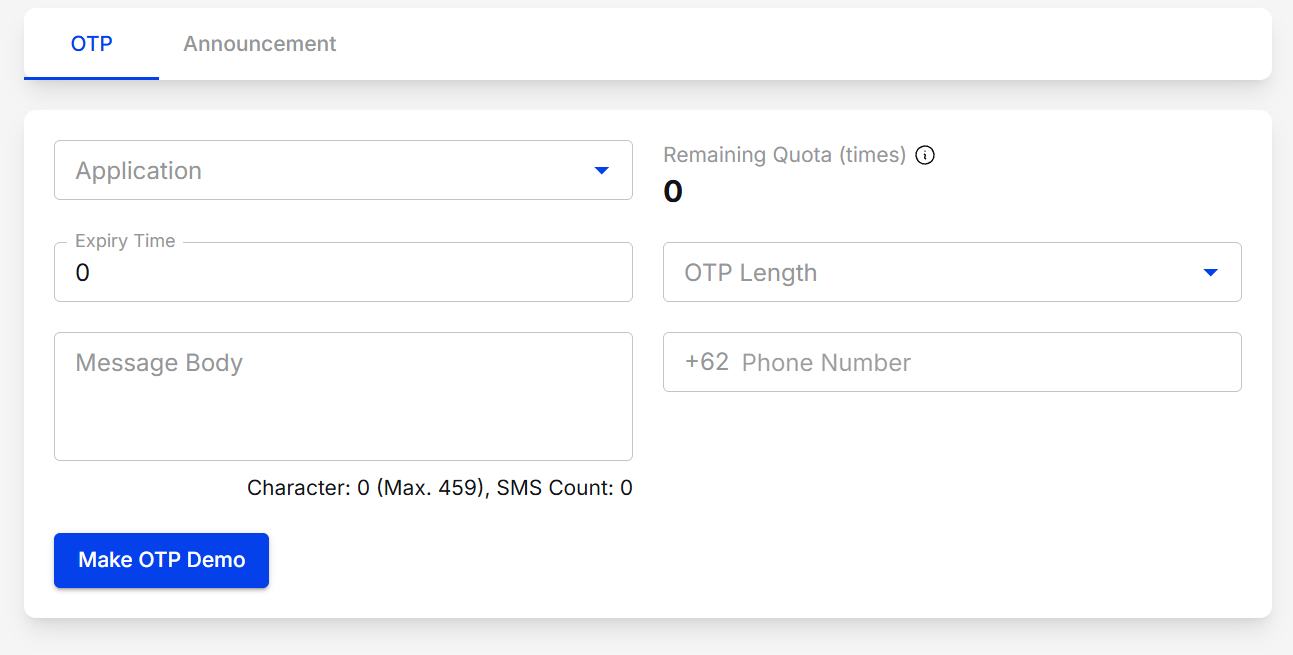
Send a Demo OTP
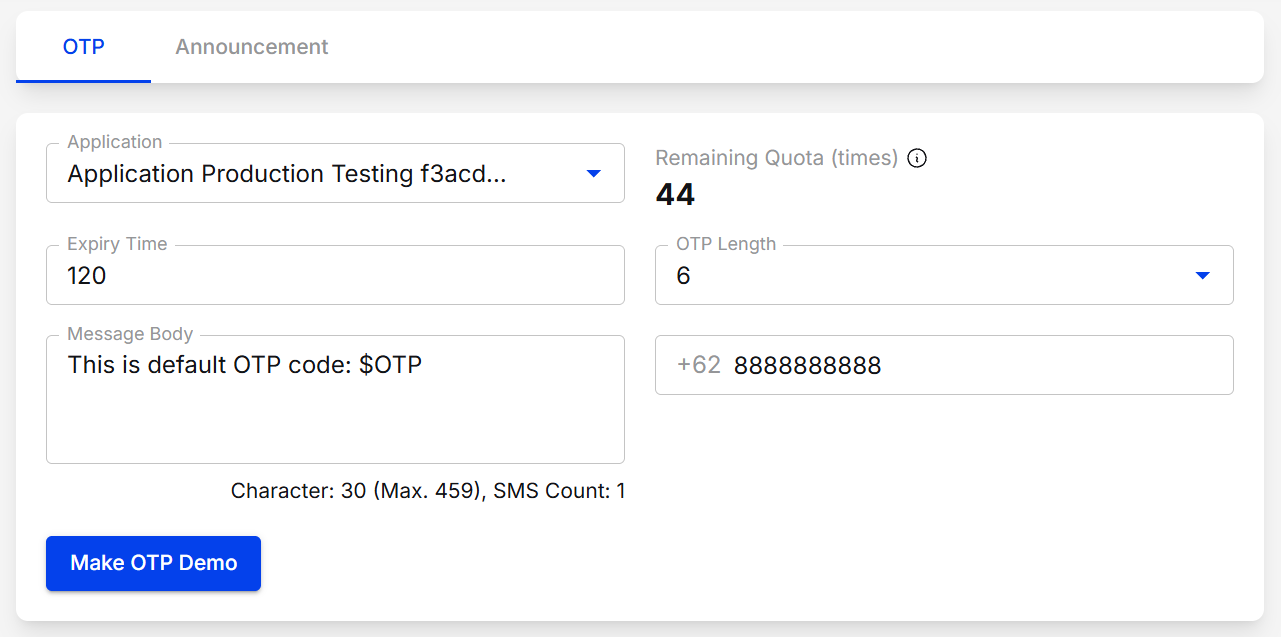
Fill in the form from top to bottom. Every field is required.
| Field | What to enter | Example |
|---|---|---|
| Application | Choose the Application ID you want to send from. | My Test App |
| Remaining Quota (times) | This is not a field you fill in. It shows how many demo OTPs you can still send. See below. | 10 |
| Expiry Time | How long the code stays valid after it is sent. After this time, the code no longer works. Value format is in seconds (defaults to 300 seconds) | 120 |
| OTP Length | How many digits the code has. Choose from the list (4-10). | 6 |
| Message Body | The text the user receives. Write your own message and place the code ($OTP) where you want it to appear | This is default OTP code: $OTP |
| Phone Number | The number that will receive the SMS. The country code +62 (Indonesia) is already filled in. Enter the rest of the number. | 888888888 |
About Remaining Quota
The Remaining Quota (times) number shows how many more demo OTPs you can send.
If it shows 0, you cannot send a demo OTP. Click Contact Us to ask for more quota.
About Character and SMS Count
Below the Message Body box you will see a line like this:
Character: 0 (Max. 459), SMS Count: 0
- Character is the number of letters, digits, spaces and symbols in your message. The maximum is 459.
- SMS Count is the number of separate text messages your message will be split into.
Tip: Keep your message short so it fits in one SMS.
Click Make OTP Demo
- Check that every field is correct.
- Click the blue Make OTP Demo button.
What happens next:
- Verihubs sends an SMS to the phone number you entered.
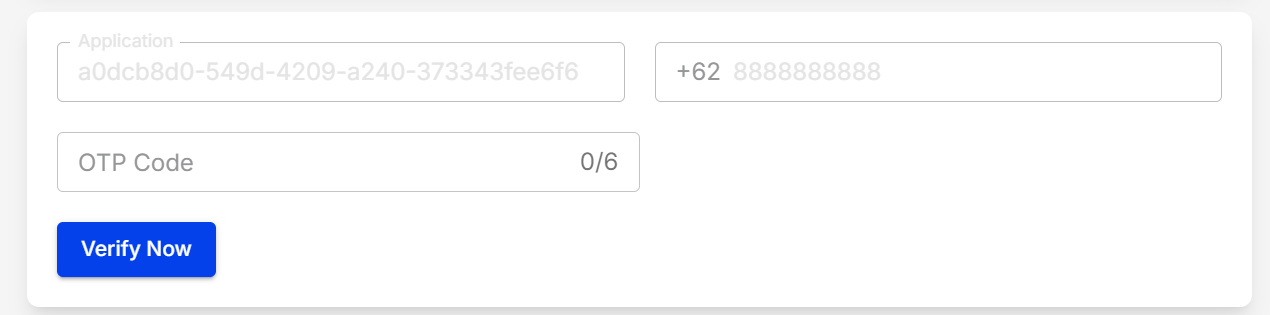
- A Verify SMS OTP section appears on the Dashboard.
- Your Remaining Quota goes down.
Verify the OTP
Now check that the code works.
- Read the OTP code in the SMS on your phone.
- On the Dashboard, type the code into the OTP Code field.
- Click the Verify Now button.
Possible results:
| Result | Meaning |
|---|---|
| Success | The code is correct and has not expired. |
| Failed | The code is wrong, or the Expiry Time has passed. Check the code, or send a new demo OTP. |
The code works only once. After a successful check, or after it expires, you must send a new OTP.
Troubleshooting
| Problem | What to check |
|---|---|
| I did not receive the SMS | Wait a minute. Check the phone number and signal. Check that SMS is not blocked on the phone. Then look for the message in the SMS Log. |
| The Make OTP Demo button does not work | Check that every field is filled in and that Remaining Quota is above 0. |
| The code says expired | The Expiry Time has passed. Send a new demo OTP. |
| Remaining Quota is 0 | Click Contact Us to request more. |
Updated 2 days ago